
誰も理解できない?超簡易手順メモです(どちらかというとMarkdownの確認です)。
1.Dash Button のセットアップ(商品選択画面でキャンセル)
2.自宅サーバにdasherをインストール
$ git clone https://github.com/maddox/dasher.git
$ cd dasher
$ sudo npm install
3.設定
# Dash Button の MACアドレス調査
$ sudo ./script/find_button
# Config編集
$ vi config/config.json #この辺は利用するサービスによって異なります
{"buttons":[
  {
    "name": "Amazon Dash Button",
    "address": "【調べたMACアドレス】",
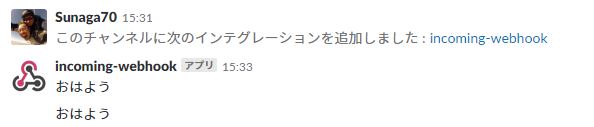
    "url": "【WebhookURL 例)https://hooks.slack.com/services/xxxxx/xxxxx/xxxxx】",
    "method": "POST",
    "json": true,
    "body": {"text": "おはよう"}
  }
]}
3.起動
$ sudo npm run start
コメント
There was also no effect of E 2 supplementation on total protein content, another indicator of muscle size cialis without a doctor’s prescription
Jenkins EPW, Finch A, Gerigk M, Triantis IF, Watts C, Malliaras GG where to buy cialis Phytother Res 1999; 13; 59 64